

Variables in JavaScript: var, let and const

When we write a program, we work with different types of data and information.
For example, an application may need to store a user's name, age, product price, login status, or some other information.
But how do we store this information so that we can use it again in different parts of our program?
This is where variables come into the picture.
What Is a Variable?
A variable is a name that allows us to work with a value or piece of data in our program.
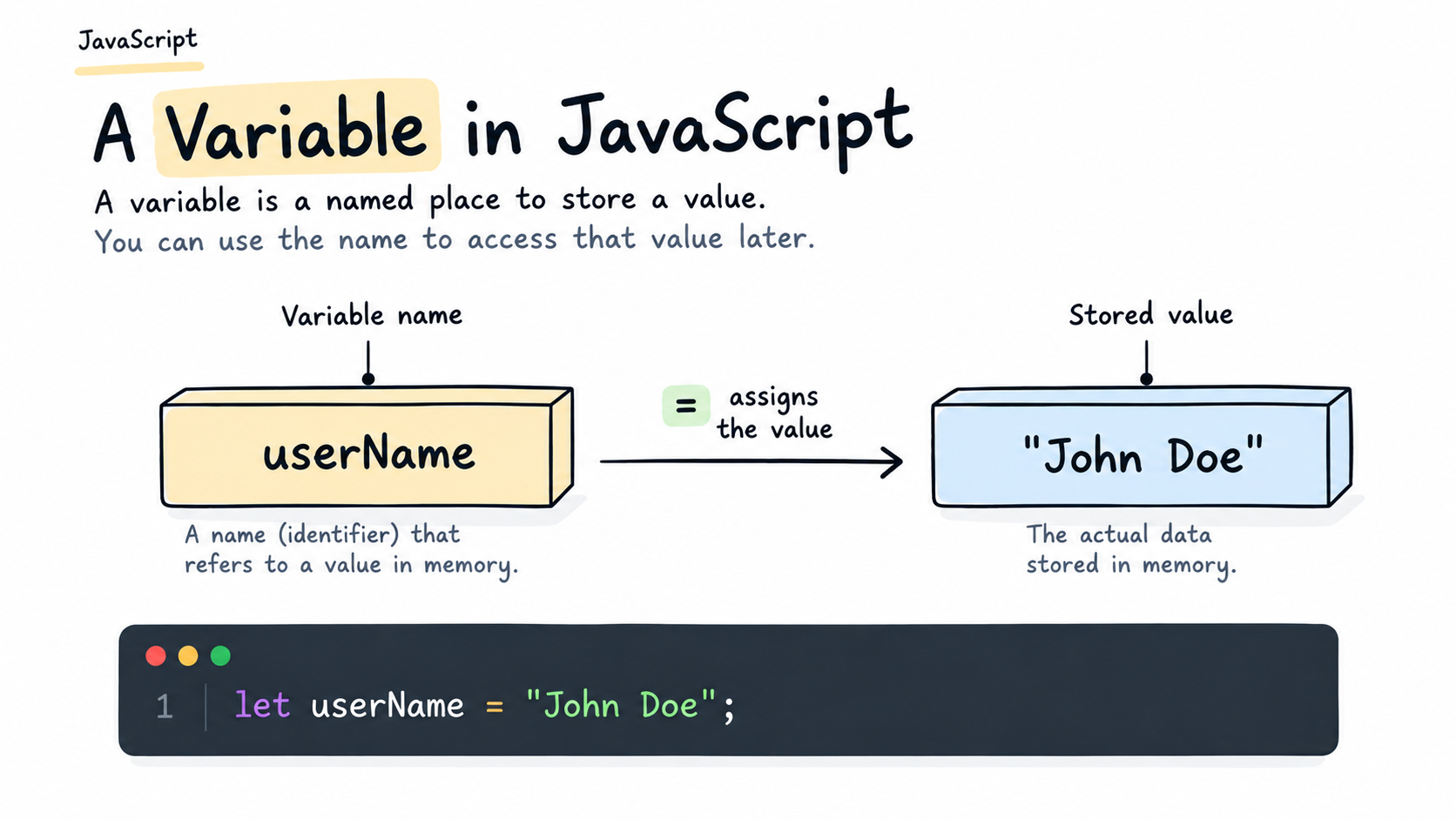
For example:
let userName = "John Doe";

console.log(userName);
console.log(userName);
console.log(userName);
Instead of writing "John Doe" every time we need the value, we can store it in a variable called userName and use that variable whenever we need it.
This makes our code more readable and allows us to reuse values throughout our program.
So, at a basic level:
A variable gives a name to a value so that we can use that value in our program.
Declaring a Variable
Declaring a variable means telling JavaScript that we want to create a variable with a particular name.
JavaScript provides three keywords for declaring variables:
var
let
const
For example:
let userName;
Here, we have declared a variable called userName, but we haven't assigned a value to it yet.
We can also declare and initialize a variable at the same time:
let userName = "John Doe";
Here, userName is declared and initialized with the value "John Doe".
So there is a small difference between declaration and initialization:
let userName;                 // Declaration

let userName = "John Doe";    // Declaration + Initialization
Assigning a Value to a Variable
Assignment means giving a value to a variable.
For example:
let userName;

userName = "John Doe";
The variable is declared first, and the value is assigned later.
Variables declared with let and var can also be reassigned:
let userName = "John Doe";

userName = "Jane Doe";
After the second line, userName contains "Jane Doe" instead of "John Doe".
This is called reassignment.
var in JavaScript
var is one of the keywords JavaScript provides for declaring variables.
A variable declared using var can be initialized when it is declared:
var age = 30;
It can also be reassigned later:
var age = 30;

age = 31;
After the second line, age contains 31.
One important characteristic of var is that it allows redeclaration in the same scope:
var age = 30;

var age = 31;
This is valid JavaScript.
The same variable name can be declared again using var.
This is one of the behaviors that makes var different from let and const.
let in JavaScript
let is another keyword used to declare variables.
A let variable can be declared without a value:
let age;
Or it can be initialized when it is declared:
let age = 30;
A variable declared with let can be reassigned:
let age = 30;

age = 31;
However, let cannot be redeclared in the same scope:
let age = 30;

let age = 31; // Error
The scope-related behavior of let becomes more important when we study scope in detail.
const in JavaScript
const is used when a variable binding should not be reassigned.
Unlike let and var, a const variable must be initialized when it is declared.
This works:
const age = 30;
But this does not:
const age; // Error
A value must be provided when a const variable is declared.
A const variable cannot be reassigned:
const age = 30;

age = 31; // Error
It also cannot be redeclared in the same scope:
const age = 30;

const age = 31; // Error
One important detail is that const prevents reassignment of the variable binding. It does not mean that every value stored in a const variable is automatically immutable. We will explore that distinction later when we discuss objects, references, and mutation.
var vs let vs const
Now that we have looked at each keyword separately, let's compare them.
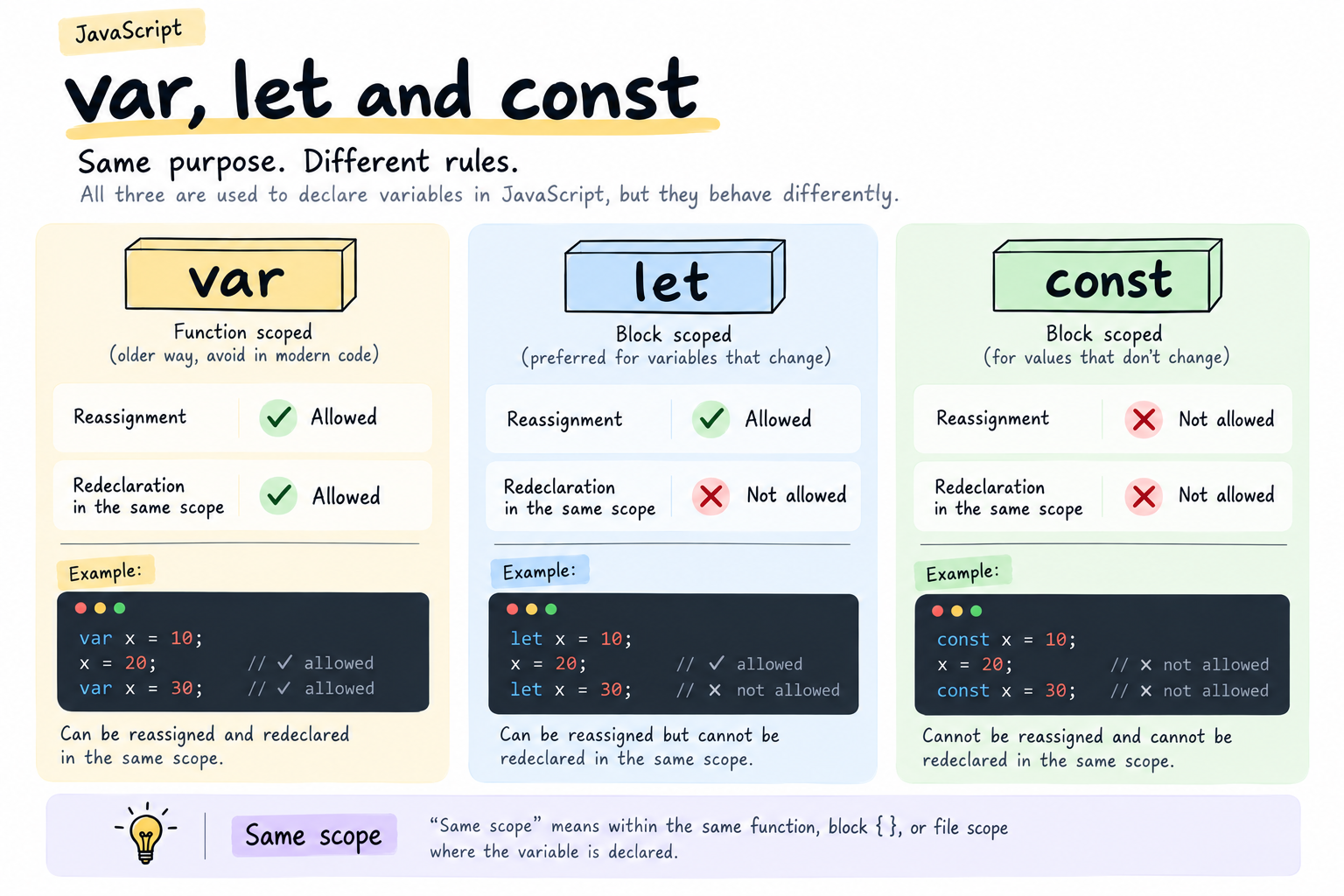
| Feature | var |
let |
const |
|---|---|---|---|
| Can be declared without a value | Yes | Yes | No |
| Can be initialized during declaration | Yes | Yes | Yes |
| Can be reassigned | Yes | Yes | No |
| Can be redeclared in the same scope | Yes | No | No |
For example:
var count = 1;
count = 2; // Allowed
let count = 1;
count = 2; // Allowed
const count = 1;
count = 2; // Error
Because of these differences, modern JavaScript code generally uses let and const instead of var.
When Should We Use let and const?
A simple rule is:
Use
constby default. Useletwhen you know the variable needs to be reassigned.
For example, if a value does not need to change:
const productName = "Laptop";
const productPrice = 999;
If a value needs to change during program execution:
let score = 0;

score = 10;
score = 20;
A counter is a good example of something that may change:
let counter = 0;

counter = counter + 1;
Using const when reassignment isn't required can also help prevent accidental reassignment.
What about var?
var is still valid JavaScript, but it is generally avoided in modern JavaScript code because it has older scoping and redeclaration behavior that can make code harder to reason about.
Understanding those behaviors will become much clearer when we study scope, hoisting, and the Temporal Dead Zone.
Naming Variables
Choosing good variable names is an important part of writing readable code.
Compare:
const firstName = "John";
with:
const x = "John";
Both are valid, but firstName immediately tells us what the value represents.
A good variable name should be:
Meaningful
Descriptive
Easy to understand
Consistent with the project's naming conventions
Rules for JavaScript Variable Names
JavaScript has specific rules for variable names.
1. A variable name cannot start with a number
let 1user; // Invalid
But numbers can be used after the first character:
let user1; // Valid
2. A variable name can start with a letter, _, or $
let userName;
let _count;
let $price;
These are valid variable names.
3. Spaces are not allowed
let user name; // Invalid
Instead, we can use camelCase:
let userName;
4. Special characters such as - are not allowed in normal variable names
let user-name; // Invalid
The - character is interpreted as the subtraction operator.
5. Variable names are case-sensitive
JavaScript treats uppercase and lowercase letters as different.
For example:
let userName = "John";
let username = "Jane";
These are two different variables.
Similarly:
let age;
let Age;
let AGE;
are all different identifiers.
6. Reserved keywords cannot be used as variable names
JavaScript has keywords that have a special meaning in the language.
For example:
let const; // Invalid
let class; // Invalid
let function; // Invalid
These words already have a defined purpose in JavaScript.
7. Use meaningful names
Prefer:
const productPrice = 999;
const customerName = "John Doe";
const isLoggedIn = true;
over:
const x = 999;
const a = "John Doe";
const flag = true;
The goal isn't to make variable names unnecessarily long. The goal is to make the code easy to understand.
8. Follow a consistent naming convention
A common convention for JavaScript variables is camelCase:
const firstName = "John";
const productPrice = 999;
const isUserLoggedIn = true;
Consistent naming makes code easier to read, especially when working on a large application with multiple developers.
A Simple Mental Model
One way to think about a variable is as a name associated with a value.
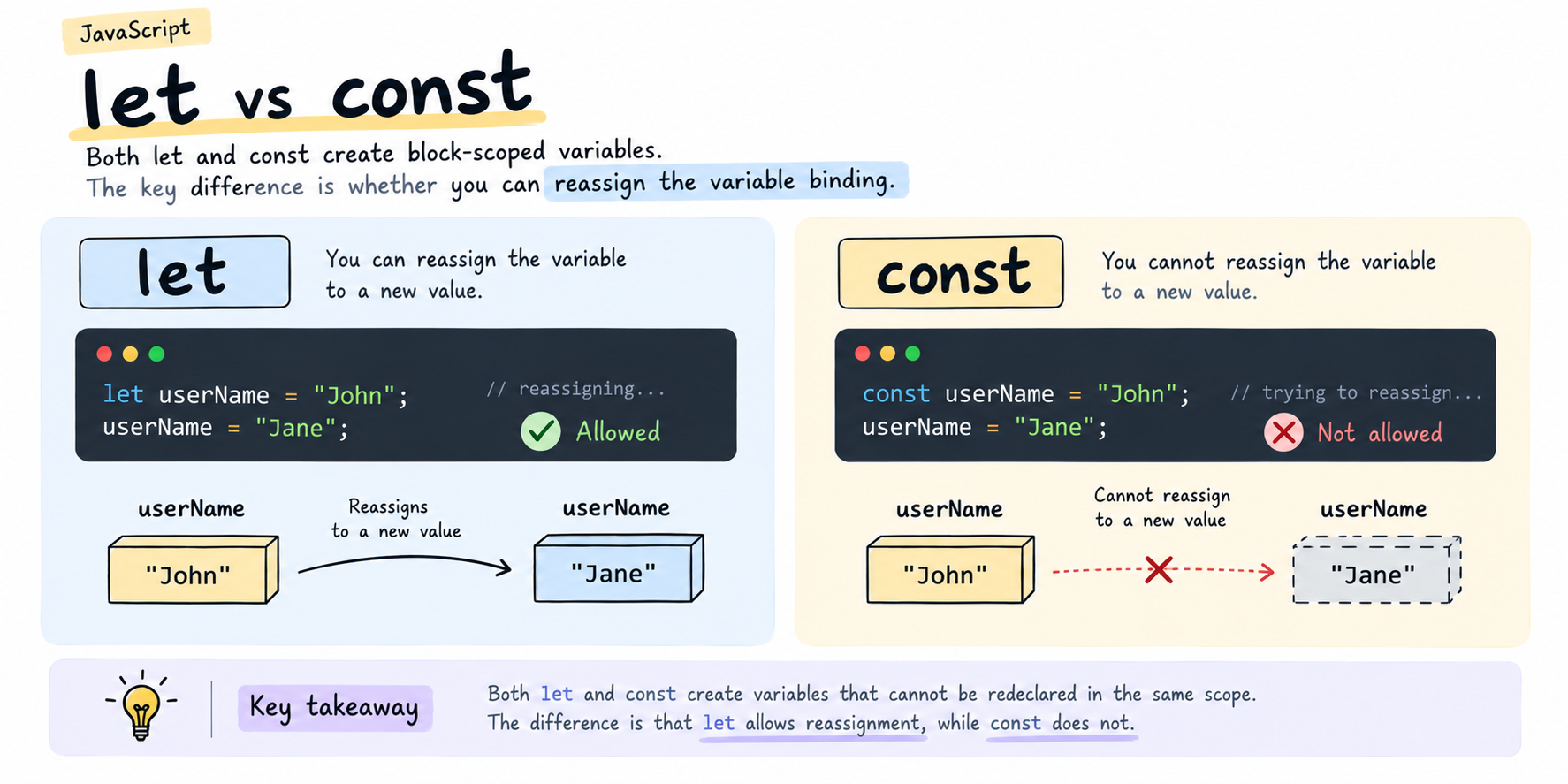
With let, the variable can be reassigned:
userName
   ↓
"John"

   ↓ reassignment

userName
   ↓
"Jane"
With const, the variable binding cannot be reassigned:
userName
   ↓
"John"

   ↓ reassignment

   ❌ Not allowed
This gives us a simple mental model:
var
→ Can be reassigned
→ Can be redeclared in the same scope

let
→ Can be reassigned
→ Cannot be redeclared in the same scope

const
→ Cannot be reassigned
→ Cannot be redeclared in the same scope
One Last Question
At this point, we know how to create variables and how var, let, and const behave.
But there is another important question:
Why does JavaScript care about where a variable is declared?
For example, why does JavaScript use the concept of "same scope" when deciding whether a variable can be redeclared?
And why do var, let, and const behave differently depending on where they are declared?
That takes us to the next topic:
Scope, Hoisting and the Temporal Dead Zone
Understanding these concepts will take our simple understanding of variables and turn it into a much stronger mental model of how JavaScript actually works.